
One thread
One flow instead of ten open tabs.
Structured help from first setup to everyday use: desktop app, projects, tutorials, documentation and community — so you don’t just install your Pi or Linux PC, you use it with confidence.
Overview: four steps below, then real app screenshots. Tutorials and troubleshooting are linked from the site navigation.


 Linux: Tux symbolises the kernel and desktop ecosystems alongside the photos (no affiliation with trademark owners).

Raspberry Pi/Lapdock photo: Ben, Wikimedia Commons (CC BY 2.0). Laptop/workspace: CC0, Wikimedia Commons. Tux: kernel.org (follow Linux trademark guidelines). Composition: theme (photo + app screenshot).
Real app UI (dashboard)
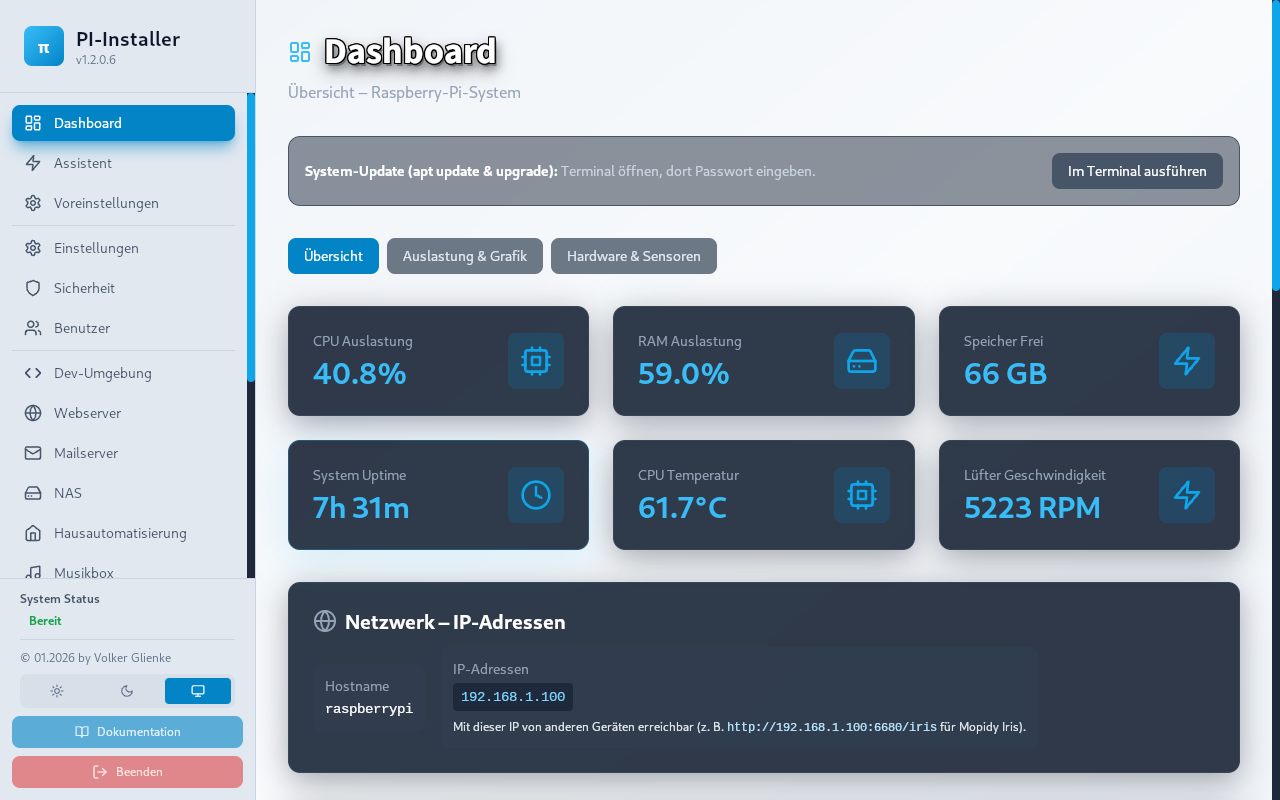
Raspberry Pi, Linux and other product names are trademarks of their respective owners. Names are used only to describe compatibility, use cases and tutorials.
Start here
Follow in order — they match the guided start; screenshots below show the real app.
Install SetupHelfer on Raspberry Pi or Linux PC — pick a release package and launch.
Open the dashboard: check CPU, RAM, storage and network before you change anything.
Updates, backup, presets and security — a solid base, then projects.
Open a tutorial or project page and build on a stable setup.
Following the steps above: how the app feels day to day. Three core views — dashboard, diagnostics, projects and setup.
Note: Screenshots are captured from the running app (not mockups). Missing images show a placeholder with the expected filename until exported from Tauri.


Too many conflicting guides? The app keeps you on one coherent path.
One flow instead of ten open tabs.
CPU, RAM, storage, network — visible, not guessed.
Backup and updates before you go live.
What the app and site cover.
Get started on Pi and Linux.
Narrow down issues.
Protect your data.
Real-world setups.
Step by step.
By symptom.
Discussion.
Harden the basics.
How deep do you want to go?
OS, Wi‑Fi, SSH, solid foundation.
Docker, networking, NVMe, daily use.
Monitoring, hardening, reproducible systems.
Learn and narrow down problems.
Guides tied to the app workflow.
Map a symptom, then read the right section.
Typical builds with their own project pages.
Movies, shows, music on the LAN.
Compact playback.
Network backup.
Show your photos.
First automation steps.
Classics on the Pi.
Questions with context (system, steps, error message) get better answers.
SetupHelfer
GitHub Releases — pick a package for Pi or Linux PC.